Showing posts with label apple. Show all posts

Saturday, December 15, 2018

Finally LastPass Autofill on iOS

I have to admit that I don't know how long this has been there, I just noticed it last week.
iOS (on my iPad) can finally use LastPass
(my favorite password manager) in addition to it's own keychain.

All you have to do (besides of course having a LastPass account and having the LastPass app installed on your device) is the following.

Go to the Settings menu, and find the section "Passwords & Accounts".
There you will see the item "AutoFill Passwords". Touch on the arrow to the right to get to the next step.

.

You should see all installed AutoFill applications there, in my case Keychain and LastPass.


All you need to do here, is select the check mark to the right to enable it.

Depending on your LassPass vault and settings, on the next Login (app or web-page), you will be given a choice to select the credentials from your LastPass account. In my case I have to provide a fingerprint first... but that's it.


Pretty cool. Essentially the same as with Keychain, just accross platforms. That's why I use LastPass.

Friday, September 25, 2015

The iOS9 Podcast app is totally broken

Usually I hate and hence avoid to slam an app or service like this, but the podcast player in iOS9 really sucks. At least for video on an iPad.

No full screen video anymore, too much white space, and even with all that unused space, the controls are too small

Exhibit A:

Please Apple, we need an urgent update to fix/revert this.

Sunday, August 23, 2015

WiFi + Train + Google Location = weird

For some while now, the Austrian Railways (OeBB) offer free Wifi at least on their premium trains ("railjet"). The trains are good and fast, the Wifi (most of the time, at least in Austria) is good, but it confuses the heck out of the Google/Android location services.
The trains operate all the routes from Zürich to Vienna, from Munich to Budapest, from Graz to Prague, etc etc.

And it seems that Google (and Apple as well) associate various geo coordinates to those access points, On my route from Vienna to Salzburg, both my iPad and my Nexus 5 "re-located" me to Graz, Linz and Prague, while I actually was just around Salzburg.

(For the convenience of readers outside Central Europe I include the map as a reference for the screw-up)

There must be some way to report those access points to Google so they exclude them from location services. The concept of mobile hotspots/access points should be too common.

Any idea anyone where I can report this ?

Wednesday, July 22, 2015

Publishing in the 21st Century

I always found that one of the core features or tasks of a publisher it to spend money made with best-selling artists on the newcomers. This applies both to publishers of music (a.k.a. labels) and literature.
Call it a cross-subsidy (and yell fire if you are too neo-liberal for this).

Over the last decades it appears that this is no longer the case.  
It seems that corporate financial controlling measures are being applied to each author or book of its own (or artist/album), and if it can not turn a profit, it will not be published. Profits from say Harry Potter [1] stay with the Harry Potter team and division and are not invested to find the next promising author.
That's because everyone hates cross-subsidies. Even within one company.

I especially find this is the case in music:
Take the recent rant of Taylor Swift against Apple. She complained (whether rightfully or not) about the fact Apple will not pay the artists during the 3 months trial period, because they, Apple, themselves don't receive any money.[2] Let's for a second ignore whether this is fair or not, let's turn to a separate aspect:

Taylor Swift claimed in her open letter to Apple that she's is not complaining for herself (as she gets enough money) but for the young / indie artists:
This is not about me. Thankfully I am on my fifth album and can support myself, my band, crew, and entire management team by playing live shows. This is about the new artist or band that has just released their first single and will not be paid for its success. ...
So is she asking Apple to take on the role of a publisher? She is asking them to help (i.e. finance) the young artists. Shouldn't the labels be doing this with the revenues they already make?
Interestingly she does not mention that this could be done out of the revenue streams from her music, only from the young artists themselves. That's odd.

So this is only a little less greedy than actually asking for herself - as she claims this is not doing.
Not so philanthropic after all.

Where are the publishers or labels in all of this? By taking themselves totally out of this equation, they will get by-passed in the future. Why would anyone need a publisher, when they don't even fulfill one of their core tasks? What's the value of a label/publisher to a young artist?

Instead of greedily clinging to their old business model, which is falling apart, they should think of creating new and relevant offerings to their customers, i.e. the artists.


--
[1] I admit I have done the research on this author/book/publisher, I just use it as an example. Correct me in the comments if I'm wrong.
[2] Apple of course changed this after her open letter.

Friday, December 06, 2013

Five Reading Tools - part V: Reader in Safari

And finally... on my iPad in Safari I use the Reader.

It has about the same features as Evernote Clearly, except that it is not an extension and only exists on iOS.
Luckily it is built into the browser since several iOS version (not sure how long) and therefore is just there (for free).

It also comes with a reading list feature, but I never use that, simply because I want my reading list centralized (i.e. pocket).

I only use it to clean the article of all the clutter around it, and it works like charm.

All you need to do is press the little reader icon (seems to represent some text lines as in "text only") left of the URL bar.

Our Wikipedia entry looks like this (click to enlarge).

Nice thing is, that links work.

Saturday, November 02, 2013

Getting an iPad Air

A bit more than three years ago I bought an iPad (Generation 1 from today's point of view). 64GB, Wifi only.
There were good reason to stay on Wifi only, because I intended to use the iPad mainly at home and not as a "large" phone to carry around.

My iPad came to be a real companion at home...

  • first email and news check in the morning - on the iPad
  • last check in the evening/night - on the iPad
  • second screen while watching TV - the iPad
  • checking news (feedly), email, facebook, twitter in between - the iPad

It did not want to use it while commuting to the office, because I know that I'm an online junkie and that I'd be online all the time on the train/underground. In urgent cases I could still tether through my Android phone.

However, the performance and stability of the iPad deteriorated... or rather: began to suck.
For example. when entering a new appointment in the calendar app, the lag when trying to select the time was a couple of seconds (!). Feedly, Pocket, Facebook would crash, i.e. just exit, several times a day.
This really started with iOS 5.1... And since this is an Generation 1 iPad there is no upgrade path to iOS 6 or 7.

So, as much as I love my iPad I also started to hate it.
I used to work a lot (while at Sun Microsystems) with Thin Clients (specifically the SunRay) and loved the notion of a client device, that would not age. Meaning that the capacity in the client (CPU, memory, screen estate, ...) would suffice for all IT trends for say 7-10 years.

In a way the iPad started as a thin client, and - call me naïve - I expected an iPad to last 4-5 years.
It did not. Not even three years and it got obsolete (for my usage pattern).
That's a PC replacement cycle, not a thin client cycle.

So over the last couple of months I was actually considering switching to a Nexus 7. But then I decided to stay in both worlds, Android on my phone, iOS on my tablet.

Yesterday I ordered my iPad Air... to get back stability and speed. Still Wifi only.
The old iPad will probably stay around as a TV/raspbmc remote...

Saturday, April 13, 2013

Two random yet timely thoughts on Android

1.  I finally gave up (to wait for JB ever to be released by HTC for the S3 variety of the One S) and had my "old" HTC One S (the one with the S4 chip) repaired.  Got the phone back 20 minutes before we went on a  a marvelous week of vacation with the family in Nice, France. So, finally, when we came back it was time to migrate from One S to One S.
Thus I - again - ran into the issue of Back / Migration of Android.
Not an easy task.

First, there is the Android 4+ trick of using the Android dev kit (ADK) on the PC, connecting the phone via USB and running
adb backup –apk –shared –all
That was the easy part, especially since as an Android developer I of course have ADK on my PC:
The  adb restore to the other phone did not work for me, because it always stopped with an exception after a while.
When trying to root my phone to get Titanium Backup to run, I must have selected one wrong option - it only takes one - and totally erased my phone.
Good thing I had the adb backup files.

So...breath deeply... root the "new" phone... because this is pristine anyway, login with google account, go to Google Playstore on the web and click through all the apps to re-send them to the phone.
Run adb restore for the data only, to get all text messages and other data back.
Worked quite fine, most of the apps found their settings again.
Took me altogether like 5 hours or so.

Then, take the S3 variante - the one I just got rid of - and set it up for my wife... Moving from a Gingerbread Samsung Galaxy S (the "old" I9000 one) is harder, because adb backup does not work there.
Anyway, I pulled most of the data through USB file system mode. Register her account on the new phone, restore some select folders from the PC (like media, and beyond pod, ...) ... 2 hours and it was done.

This is probable the only realm where apple is still ahead... Migrating a phone through an iTunes or iCloud backup is really easy. As easy as it can be.

Google / Android: This is where you need to learn from Apple. You really have to.


2. Facebook last week announced their Facebook Home for Android.
Good thing. Instead of building their own phone, they just "skin" Android and potentially all hardware. Seems to be 4+ only, which is OK as well.
Not sure, however, if their premise is right: What do they mean, that I want "people" on my phone, not "apps"?
It will be a success, because Facebook junkies might use it. I personally rather have my widgets on my home screen, and not 100% Facebook. I don't even have any of the social/facebook/google+... widgets active on my home screen, so this part of Facebook home is not for me.

The chat heads (talk about a fit yet bad name) seem to be interesting; non intrusive / disruptive chat layers on top of the apps might actually work, especially if the combine SMS/text and facebook chat (and the other messaging services in the future maybe).

I'm not talking about the privacy aspect here. Facebook does have a worse track record than Google, so not sure I want them to have total access to my phone and thus contacts, location, texts, ... But that's a different story

It is, however, a wonderful testimonial for the power of Android. A truly modular and open architecture.

Monday, October 15, 2012

Something's odd here

In tablets we currently observe two business models:

The Apple model -  make money on the hardware, therefore lock users in,  and make sure that there's enough content available for iOS to do so

The Amazon model - get consumers to buy content and stuff from Amazon,  and make sure they have a device for this.

What is odd here,  is that the Apple model,  which depends on globally availability and distribution of a physical goods (the iPad) is more scalable than the distribution of purely electric or virtual goods (content) in the Amazon model, because Amazon is (still) limited by availability of said content in each country and has to negotiate it...

Sick.

Tuesday, December 27, 2011

iPad Video App Freeze

Since I updated my iPad[1] to iOS 5, I frequently had the problem that the video app that comes with iOS is simply frozen, when you open it.
Even closing the app does not help.
A reboot of the iPad did not help either.

My idea was to somehow not start the video app, but launch a video directly, but for lack of a file manager on iOS, this is not easy.
Turns out it is... simply do a spotlight search for a known video name, wait for it to appear in the search results and tap on it there. Next best thing to a file manager :)

Voila, the video app should start and not freeze...
Works everytime for me know... a bit cumbersome, but still.

Hope that Apple will fix this.

--
[1] first gen iPad, that is

Monday, December 26, 2011

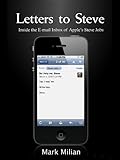
Letters to Steve

Nice easy reading for the holidays...  a collection of Steve Job's email responses...
and no, it's not just a book full of "Nope" and "Yep"... :)
Maybe a little bit too close to the Steve Jobs Bio by Walter Isaacson which I finished only a couple of weeks ago.

Tuesday, August 16, 2011

Totally un-applish

I just recently had to do the routine password change on my corporate email/calendar.  Not a big deal.

However,  why does an iOS device (both iPod touch and iPad) prompt me for the new Calendar password (and remembers it from then on), but not for email (neither IMAP nor SMTP). I really have to go through settings to change this.

This is totally not like Apple.
First of all its annoying (to have to go to settings), and secondly its inconsistent (automatic for calendar, manual for email).

(ah, end yes, Android is manual only... up to 2.3 at least).

Sunday, June 12, 2011

iCloud

Apple's just announced  multimedia cloud storage thingy, iCloud[1] looks like a real threat to Dropbox.
Especially if well integrated into the Apple ecosystem (Mac, iOS and applications).

Not for me, though; the 2GB Dropbox offers for free are sufficient for me... but thats only because I do not keep music or photos/videos there..

Also Dropbox will probably always be more cross-platform.

So I'll keep using Dropbox - and invite you to do the same.

--
[1]  if they can keep the name :-)

Saturday, June 04, 2011

Platformness

The recent (if not still ongoing)  Lodsys v. Apple fight over patent infringement around in-app purchase revealed another important criteria for something to be a platform: indemnification.

Apple (or any platform provider) has to protect developers for their platform from such claims - whether they are justified or - as in this case - just patent trolls.

For a true platform this must never be burdened on the developers.

Hope Google/Android will follow Apple's example.

Sunday, March 13, 2011

Book: iWoz - by and about Steve Wozniak

A couple of weeks ago I read iWoz: How I invented the Personal Computer and had fun doing it by and about Steve Wozniak.
Only I forgot to blog about it then. So here you go.


Fascinating book... well, when I say that, it will not win the Nobel prize, but it is so full of memories.
That is,
  • if you ever did something in hardware;
  • if you ever (like I did at TechU Vienna) designed some chips (integrated circuits - not crisps or fries)[1] 
  • if you ever designed a small computer system, with CPU, memory, and all the device controllers
  • if you ever had to write BIOS functionality or at the operating system level
  • if you ever wanted to do more with some gadget than the manufacturer intended you to do
  • if you ever spent[2] days optimizing some machine instructions / assembler programs to use 2 cycles less
If you ever were a geek, if the name Steve Wozniak has any meaning to you... go and read this book.
An experience quite close to time travel

--
[1] by the way my first contact with SunOs
[2] read: wasted

Sunday, January 02, 2011

iPad/iPhone date dialog anomalies

It is really odd how developers use the iOS datepicker[1]...

The built-in calendar app - which has many other shortcomings  - only lets you enter the time in 5 minute increments. Which is - usually - OK, but when you want to enter e.g. the departure time of a plane or train, you might want to enter the exact time.


On the other hand, there is Qando, a service (with an app) that lets you check the timetable of public transport in Vienna. Oddly enough, when I want to specify a (rough) time for departure (or arrival), it lets me pick the time in 1 minute increments... the one place where e.g. 15 min resolution would be fine....

This really is annoying - it make the time selection (e.g. when you want to jump to 17:30 = 5.30pm)  a lot slower, because it makes you scroll through 30 values...

Did you also notice that the datepicker is not correctly localized? Almost everything here is proper German ("Jän" = Jänner for January, "Di." for Dienstag = Tuesday), but it still quite prominently says "Today" instead of "Heute".

--
[1] the dialog/control which lets you enter date & time on your iPhone/iPad/iPod

Tuesday, November 23, 2010

Updated my iPad to iOS 4.2

Finally, yesterday the 4.2 update for the iPad arrived. Well for other devices as well, but the iPad I cared most for.
I had to install it immediately... well when I say immediately, the 500MB download took 5 attempts to finally get through (networking problems, not Apple's fault I guess).

First impression: multi-tasking and app-switching is awesome :-)
I wonder how long it will take me to get used to the screen rotation lock being software only now.

Folders, AirPrint and AirPlay I have to digg into a bit more, I'm not sure I even have a demand for it ... yet.

Sunday, November 21, 2010

How to sync photos FROM the iPad...

This is a bit embarrassing, but I still post it here... so you others don't have to admit you didn't know this... of course you knew... everyone knew... except for me.

So for a while I was wondering why a sync of my iPad through iTunes did not store the images generated on the iPad to the specified folder on my PC. Here's why:

In iTunes select your iPad, then click on the "Photos" tab and select a folder there.
This will then (everytime you sync) copy all the images from this folder on the PC to your iPad.

OK.

However, for the other way round it does not work through iTunes, but rather like this:

One thing that bugged me about my iOS devices is that everytime I hook them up to my PC, Windows prompts me to select an action or application for this device... Quite annoyed me because... hey... you're supposed to connect to iTunes... duuh.

So iOS devices register themselves to your PC as a camera as well. Still I thought: How stupid, my iPad does not have a camera. And neither does my iPod touch.

Well, in some weird way it is a digtial camera: from a Windows / interface perspective the iPad is a device that creates and (more importantly) stores images. Just like a digital camera.

So images you create on your iPad (e.g. as a screen shot, or email attachment, ...) can easily be sync'd to your PC through this interface then. Windows (or the program of your choice) will do the transfer for you.

Odd, though, that Apple suddenly relies on Windows features...

So, this is how you sync photos from your iPad to your PC... but of course, everyone knew that.

Sunday, November 07, 2010

App Store Quality ?

So this is the rigid quality control on the Apple App Store ??

How could that pass?

Thursday, September 02, 2010

Got my iPad

So I got my iPad yesterday...

No - actually I got it Tuesday, but I managed to hold back until yesterday evening to unbox and activate it.

Cool device... great form factor. Super fast (compared to an iPod touch or Galaxy S)
A weird mixture of lean-back browsing (like TV) and lean-forward browsing (like PC).

Still amazing how many apps are only available in the iPhone/iPod compatability mode... and not yet optimized for the iPad.

But those who are (optimized for the iPad), like the internal Mail app, or the excellent imdb app, really make great use of the touch interface on the "big" screen...
Keyboard is a lot better and more easy to type on than on the iPhone/iPod...

Can't wait for the iOS 4.2 Update.
 
Stay tuned for more.

Thursday, April 29, 2010

Palm and 3Com re-united

So, HP bought Palm... not Apple, as has been rumored over the last couple of weeks.
Palm and 3Com [1] finally re-united.

IMHO (and as a former Palm fanboy) this still does not give Palm/HP a chance in the smart phone market: HP/Compaq never managed the iPaq to smart phone transition - with the help of giant Microsoft - so why should they be able to manage it now without any help, when they are up against Apple and Google (and. yes, Nokia, but they are an easy target).

--
[1] Sorry, "HP networking" as they are called since last week.